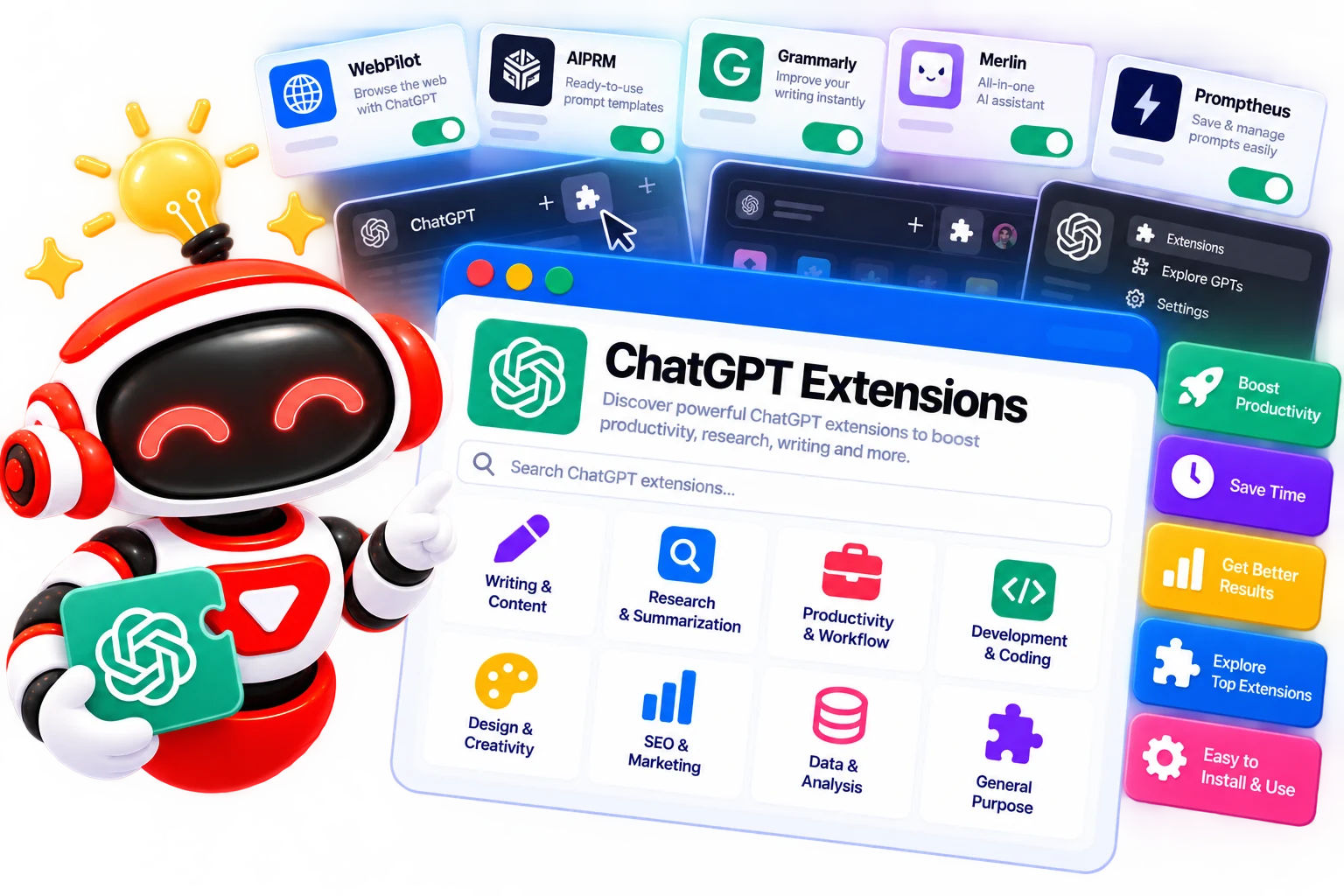










Best ChatGPT Extensions

ChatGPT extensions add extra functionality to your browser so you can access AI assistance while browsing, researching, writing, or working with online content. This category covers ChatGPT extensions, including extensions for search, writing, research, productivity, and prompt workflows.

  • Options Free & Premium
  • Verified Evaluated by Experts
  • 10+ AI Tools
Best ChatGPT Extensions

Search Extensions ChatGPT

# Name Category Pricing Platforms Supported Rating Tool Tutorials
1 Extensions ChatGPT Free + Paid Web
star star star star
2 Extensions ChatGPT Free + Paid Web
star star star star
3 Extensions ChatGPT Free + Paid Web
star star star star
4 Extensions ChatGPT Free + Paid Web
star star star star
5 Extensions ChatGPT Free + Paid Web
star star star star
6 Extensions ChatGPT Free + Paid Web
star star star star
7 Extensions ChatGPT Free + Paid Web
star star star star
8 Extensions ChatGPT Free + Paid Web
star star star star
9 Extensions ChatGPT Not publicly disclosed Web
star star star star
10 Extensions ChatGPT Free + Paid Web
star star star star
11 Extensions ChatGPT Free + Paid Web
star star star star
12 Extensions ChatGPT Free + Paid Web
star star star star

Explore ChatGPT Prompts

Find practical prompts for writing, research, productivity, and everyday ChatGPT workflow.

Popular Use Cases for ChatGPT Extensions

Research and Web Browsing

Use a ChatGPT Chrome extension to summarize web pages, extract key information, or ask questions about content without constantly switching between tabs.

Writing and Editing

A ChatGPT Chrome Extension can help rewrite text, improve clarity, generate ideas, or assist with routine tasks directly in the browser.

Search Assistance

Some extensions add AI-generated answers alongside traditional search results, giving you another way to understand or summarize information while browsing.

Prompt Workflows

Tools such as AIPRM ChatGPT can provide prompt templates and organized workflows for users who regularly work with structured ChatGPT prompts.

Productivity

A ChatGPT extension for Chrome can bring AI assistance into everyday browser-based tasks, reducing the need to copy information between websites and separate AI tools.

Who Should Use ChatGPT Extensions?

Students

Students can use a ChatGPT extension for Chrome to summarize online reading material, clarify difficult concepts, and organize information while researching.

Writers and Content Creators

A ChatGPT Chrome extension can provide writing assistance directly inside browser-based editors, research pages, and content workflows.

Researchers

Researchers can use browser extensions to summarize sources, extract important points, and work through large amounts of online information without constantly switching tabs.

Marketers

Marketers can use extensions for tasks such as content research, competitor analysis, prompt-based workflows, and search assistance.

Professionals

Anyone who frequently works in a browser can use a ChatGPT extension for Chrome to bring AI assistance into everyday web-based tasks.

What Are ChatGPT Extensions?

ChatGPT extensions are browser add-ons that connect AI capabilities with your web browsing experience. A ChatGPT extension for Chrome can work alongside webpages, search results, text editors, and other browser-based tools, depending on what the extension supports. 


Some extensions focus on writing and summarization, while others add prompt libraries, search assistance, or access to AI models. Unlike ChatGPT itself, these extensions are usually developed by third-party providers, so their features, privacy policies, and access to ChatGPT or other AI models can vary considerably. 

How Do ChatGPT Extensions Work?

A ChatGPT Chrome extension is installed through the browser and runs when you interact with supported webpages or browser features. Depending on the extension, it may read selected page content, process text you provide, connect to an AI model through an API, or add an AI interface to your browser. 


Some tools work through a popup, while others appear directly within search pages or websites. The extension then sends the relevant information to an AI service, receives the generated response, and displays it inside the browser. Because third-party extensions can handle webpage content and user data, checking their permissions and privacy practices before installation is important. 

Benefits of ChatGPT Extensions

ChatGPT extensions can be useful when AI assistance is needed directly inside a browser workflow. Instead of moving information between tabs or applications, users can access relevant features from the page they are already working on. 


  • Faster Access to AI: OpenAI assistance from the browser without switching to a separate application. 

  • Better Browsing Workflows: Summarize webpages, analyze information, or ask questions about online content. 

  • Writing Assistance: Rewrite, proofread, or generate text while working in browser-based editors. 

  • Search Support: Some extensions add AI-generated summaries or answers to search results. 

  • Prompt Management: Extensions can provide reusable prompts and templates for recurring ChatGPT tasks. 

  • Workflow Automation: A ChatGPT extension can bring AI features closer to the websites and tools you already use. 

Best Free ChatGPT Extensions

If you want to add AI assistance to Chrome without committing to a paid subscription, these extensions offer free access or useful free tiers. 


  • WebChatGPT

  • ChatGPT Exporter

  • Superpower ChatGPT

  • ChatGPT Toolbox

  • Voice Control for ChatGPT

Best Paid ChatGPT Extensions

If you need more advanced features, higher usage limits, or premium AI assistance inside Chrome, paid extensions can be worth considering.


  • Sider

  • HARPA AI

  • AI Workspace Pro

  • AI Toolbox

  • Merlin

How to Choose the Right ChatGPT Extension?

The best ChatGPT extension depends on what you want to do inside the browser. Some are built mainly for web research, while others focus on prompts, conversation management, or bringing AI assistance into webpages. 


  • Core Functionality: Check whether the extension actually supports the workflow you need instead of adding unrelated AI features. 

  • Browser Compatibility: Confirm that the extension works with your version of Chrome and the websites you use regularly. 

  • ChatGPT Integration: Check whether it works directly with ChatGPT or uses a separate AI service. 

  • Privacy and Permissions: Review what webpages, conversations, or account information the extension can access before installing it. 

  • Free vs Paid Features: Check usage limits and premium restrictions rather than assuming an extension is completely free. 

  • Reliability: Look at recent updates and user feedback, particularly for extensions that interact directly with ChatGPT. 

Common Mistakes to Avoid When Using ChatGPT Extensions

Browser extensions can access information from the pages you visit, so choosing one based only on its feature list can create unnecessary privacy or security risks. 


  • Installing Unverified Extensions: Download extensions from reputable sources and check the developer before granting permissions. 

  • Ignoring Permissions: Be cautious if an extension requests access to every website you visit when that access is not necessary for its function. 

  • Assuming Every Extension is Official: Many ChatGPT extensions are developed by third parties and are not affiliated with OpenAI. 

  • Overlooking Pricing Limits: Some extensions offer free access but restrict usage, advanced features, or model access behind a paid plan. 

  • Using Too Many Extensions: Multiple AI extensions can overlap, slow down your browser, or create conflicting interfaces. 

  • Sharing Sensitive Information: Avoid sending confidential business, financial, or personal data through an extension unless you understand how it handles that information. 

Future of ChatGPT Extensions

Browser-based AI is moving toward deeper integration with the websites and applications people already use. Instead of opening a separate chatbot for every task, future extensions are likely to provide contextual assistance directly within webpages, documents, search results, and web applications. 


The role of extensions may also shift as browsers and AI platforms introduce more native AI features. Third-party extensions will need to offer useful capabilities that go beyond simply providing another chat window, such as better research workflows, context handling, automation, or access to multiple AI models. 
Trending AI Blogs

Trending AI Blogs

AI Tools • 17 minutes read

Best AI Voice Cloning Tools in 2026: 10 Tools Worth Trying

I’ve tested enough AI tools to know that a great demo doesn’t always translate into a great workflow. Voice cloning is a perfect example. Some AI voic...

AI Tools • 15 minutes read

10 Best AI Tools for Email Marketing: Tested & Compared

I used to think email marketing was mostly about writing good emails. Then I actually started doing it regularly. The writing was rarely the part that...

AI Tools • 14 minutes read

How to Run ChatGPT Ads in 2026? A Practical Guide to OpenAI Advertising

Most people know ChatGPT as the place they go when they need an answer, an idea, or a quick explanation. However, many still don’t know that ChatGPT A...

AI Tools • 17 minutes read

Best AI Tools for Freelancers in 2026: 15 Tools I’d Actually Use

I’ve spent enough time freelancing to know that the actual client work is rarely the only thing that keeps you busy. Finding clients, writing proposal...

FAQ (Frequently Asked Questions)

Ans. Yes. Several third-party browser extensions add ChatGPT-related features to Chrome. Their capabilities vary, so check the developer, permissions, and current availability before installing one.

Ans. A ChatGPT extension is a browser add-on that enhances how you use ChatGPT or brings management, conversation tools, or other features.

Ans. OpenAI’s availability of official browser features can change, so check OpenAI’s current product and Chrome Web Store listings before assuming that a third-party extension is official. Many extensions using ChatGPT in their names are independently developed.

Ans. AIPRM ChatGPT refers to AIPRM’s browser-based prompt management and AI workflow extension. It provides access to prompt templates and tools intended to help users work with ChatGPT and other AI models.

Ans. Safety depends on the individual extension and its developer. Review its permissions, privacy policy, reputation, update history, and access to the webpage or ChatGPT data before installing it.


